The most common problem with Nest thermostats in the UAE is power related. The thermostat shows a low battery warning, the screen goes blank, or it reboots randomly during peak summer when the AC is running almost continuously. This happens because many UAE AC systems do not provide the continuous 24V power that Nest thermostats expect, especially fan coil units in district cooling buildings and split ACs connected through adapters without a proper C-wire installation.
But power is just one of seven Nest-specific issues we diagnose regularly during service calls across Dubai, Abu Dhabi, and Sharjah. Each problem has a different root cause depending on which Nest model you own (budget Nest Thermostat, Learning 3rd Gen, or Learning 4th Gen) and what type of AC system it is connected to. This guide covers all seven, with fixes specific to each model and each UAE AC configuration.
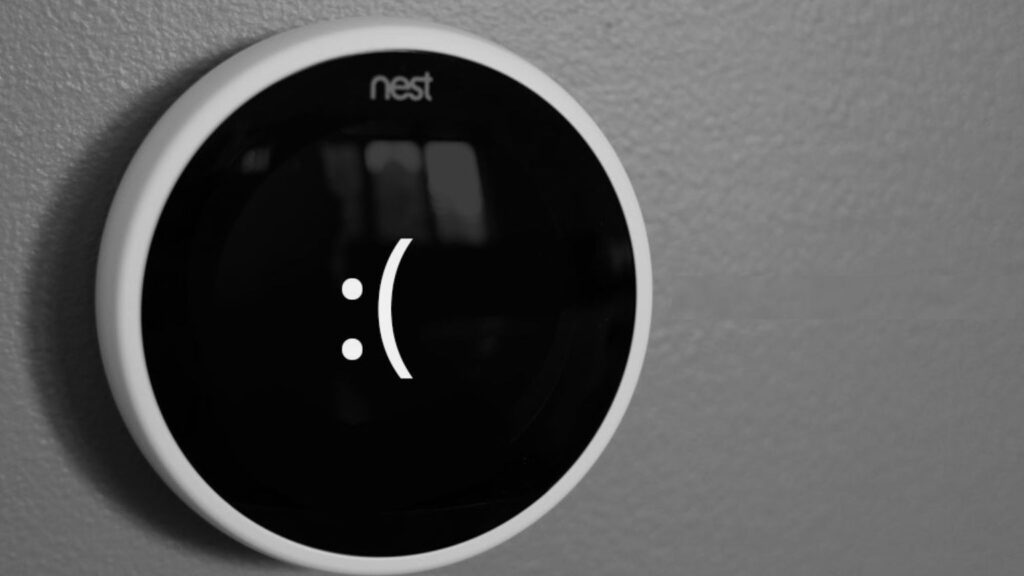
1. Low Battery or Blank Screen Despite Being Wired
This is the number one Nest thermostat problem in the UAE. The thermostat displays a low battery icon, the screen goes completely blank, or the unit reboots in a loop. You know the thermostat is wired to the AC system, so a dead battery makes no sense. But the Nest has an internal rechargeable lithium-ion battery that charges through the thermostat wiring, and when it cannot charge fast enough, these symptoms appear.
Why it happens in UAE homes:
- Missing C-wire. The C-wire (common wire) provides continuous 24V power to the thermostat. Without it, the Nest uses a technique called power stealing, drawing tiny amounts of current from the Y (cooling) or G (fan) wires during idle periods. In the UAE, where the AC runs 12 to 18 hours a day during summer, there are very few idle periods. The thermostat cannot steal enough power to keep its battery charged, and it slowly drains.
- Adapter wiring issues. If your Nest is connected through a DropAir Mini 6s or DropAir iPanel adapter, the adapter’s 24V output must be wired correctly to include a C-wire connection. Some installations skip this step, leaving the Nest without a reliable power source.
- Transformer undersized or failing. The 24V transformer that powers the thermostat circuit may be undersized for the load (especially if it also powers other components on the circuit) or failing after years of continuous UAE summer operation.
How to fix it: Check the battery level in Settings on the thermostat (or in the Google Home app under device information). A healthy Nest battery reads 3.7V or higher. Below 3.6V, the thermostat starts experiencing issues. The permanent fix is installing a C-wire or verifying that the existing C-wire is properly connected at both ends (the thermostat and the air handler/adapter). The Nest Learning 4th Gen was designed to work without a C-wire in most installations, so upgrading to the 4th Gen can also resolve persistent power issues on older models.
For a deeper explanation of C-wire power and thermostat electrical requirements, read our guide to thermostat power consumption.
2. Wi-Fi Keeps Disconnecting
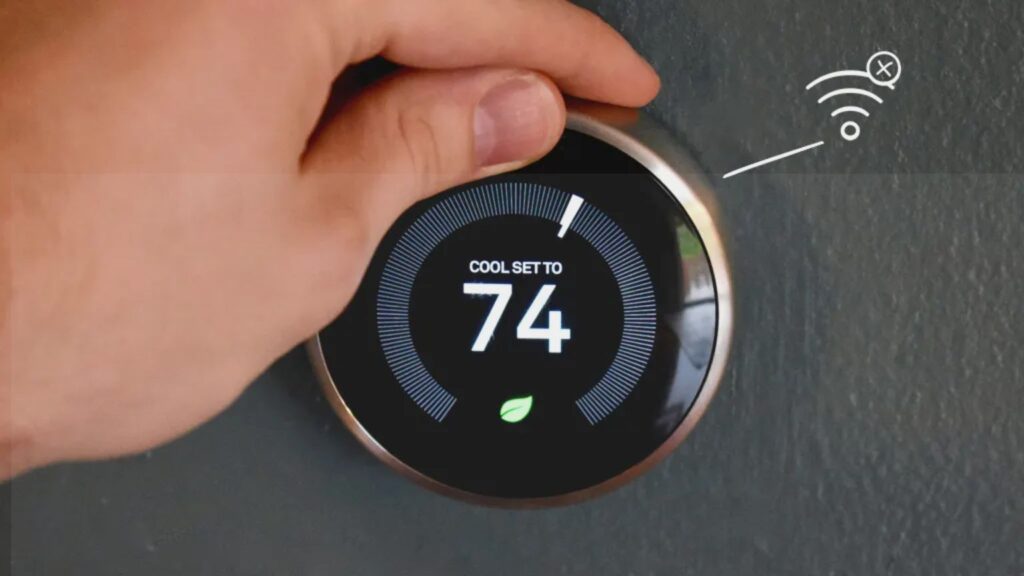
The Nest thermostat drops off the Wi-Fi network, shows as “offline” in the Google Home or Nest app, and loses all remote control capability until it reconnects. This is the second most common Nest issue in UAE homes, and it has multiple possible causes.
Common causes in UAE installations:
- Thick concrete walls. UAE apartment towers are built with reinforced concrete that significantly weakens Wi-Fi signals. If the Nest is mounted two or more walls away from the router, the signal may drop below the minimum strength needed to maintain a connection. The Nest’s built-in Wi-Fi antenna is not as powerful as a phone or laptop, so it loses signal first.
- 5GHz network only. Nest thermostats connect exclusively to 2.4GHz Wi-Fi. If your du or Etisalat router is set to broadcast 5GHz only, or if band steering is forcing the Nest onto 5GHz, it will fail to connect or disconnect frequently.
- Router firmware updates. When your ISP pushes a router firmware update (Etisalat and du do this periodically), it can reset network settings, change the security protocol, or alter the channel. The Nest may not reconnect automatically if the network parameters changed.
- Low battery affecting Wi-Fi. When the Nest’s internal battery drops too low (see problem #1 above), one of the first features it disables to conserve power is the Wi-Fi radio. The thermostat stays functional for basic temperature control but goes offline for everything else.
How to fix it: Start by restarting the router and the thermostat. If the problem recurs, verify that your router has a 2.4GHz network with a separate SSID. Add a Wi-Fi mesh node or extender near the thermostat if signal strength is the issue. Check the thermostat’s battery voltage. If it is below 3.6V, the Wi-Fi disconnection is a symptom of the power problem, not a network problem. For detailed Wi-Fi troubleshooting, see our guide to how Wi-Fi thermostats work.
3. Temperature Reading Does Not Match the Room
The Nest displays 23 degrees but the room feels noticeably warmer, or the AC runs long past the point where the room should have reached the setpoint. The thermostat’s temperature sensor is reading inaccurately.
Nest-specific causes in UAE homes:
- Heat soak from the wall. The Nest mounts flush against the wall. If the wall absorbs heat from the exterior (common with south and west-facing walls in UAE apartments), that heat transfers through the wall plate into the thermostat body and affects the temperature sensor. The sensor reads 2 to 4 degrees higher than the actual room temperature, causing the AC to overcool.
- Dust accumulation on the sensor. UAE dust levels are among the highest of any major metropolitan area. Fine particles coat the Nest’s internal temperature sensor over months, creating an insulating layer that slows the sensor’s response time and skews readings.
- Proximity to AC supply vent. If the Nest is mounted directly below or beside an AC supply vent, cold air blowing across the thermostat gives it a false low reading. The thermostat thinks the room is already at the target temperature and shuts off the AC, but the rest of the room is still warm.
How to fix it: Place a standalone digital thermometer next to the Nest and compare readings over 24 hours. If the Nest consistently reads 1.5 degrees or more off, you can apply a temperature correction offset in the Google Home app (for the 4th Gen and budget model) or the Nest app (for the 3rd Gen). For heat soak from exterior walls, a thermal insulation pad behind the Nest base plate can reduce heat transfer. For dust, gently clean the thermostat exterior and the area around the sensor vents with a dry microfibre cloth every three months.
If the Nest Learning 4th Gen is paired with its included temperature sensor placed in a different room, you can set the thermostat to prioritize that sensor’s reading instead of its own, which bypasses the wall-mount accuracy issue entirely. Our Nest model comparison guide explains which models support room sensors.
4. AC Short Cycling After Nest Installation
The AC turns on for 2 to 5 minutes, shuts off, then restarts almost immediately. This cycle repeats continuously, the room never reaches a stable temperature, and the compressor takes excessive wear from the constant start-stop pattern.
Why this happens specifically with Nest installations in the UAE:
- Wiring mismatch. UAE fan coil units and split ACs use different wiring conventions than the North American HVAC systems Nest was designed for. Connecting the Y wire (cooling) to the wrong terminal on the fan coil unit can cause the thermostat to send conflicting signals, toggling the compressor or valve on and off rapidly.
- Adapter configuration error. If a DropAir adapter is not configured correctly for your specific AC model, the relay timing between the adapter and the AC control board can create a feedback loop that causes short cycling.
- Nest’s built-in compressor protection delay. Nest thermostats include a minimum 5-minute delay between compressor off and compressor on to prevent damage. If your AC system also has its own protection delay, the two delays can conflict, resulting in the AC sitting idle for 10+ minutes between cycles and then overcooling when it finally starts.
How to fix it: If short cycling started immediately after installation, the wiring is almost certainly the issue. A professional reinstallation that verifies every wire connection against your specific AC system’s wiring diagram typically resolves it in a single visit. If the short cycling started gradually over time, the issue may be a failing relay in the adapter or a sensor drift problem (see #3 above).
5. Nest App Shows Offline or Cannot Be Reached
The Google Home app (or the older Nest app) shows the thermostat as “offline” or displays a message like “could not communicate with your Nest.” You cannot adjust settings remotely, and voice commands through Google Home or Alexa fail.
This is different from the Wi-Fi disconnection issue (#2) because the thermostat may still be connected to Wi-Fi but unable to reach the cloud server. Possible causes include:
- Google server outage. Nest thermostats depend on Google’s cloud servers for app control. When Google experiences a server outage (which happens a few times per year globally), all Nest thermostats show as offline in the app simultaneously. The thermostat itself continues working locally. Check the Google Home status page or social media to confirm whether the outage is on Google’s end.
- DNS resolution failure. If your router cannot resolve the DNS addresses that the Nest uses to connect to Google’s servers, the thermostat appears offline. This can happen after a router restart or ISP configuration change. Restarting the router usually resolves it. Switching to Google’s public DNS (8.8.8.8 and 8.8.4.4) in your router settings prevents this from recurring.
- Router-level VPN blocking Nest traffic. If you run a VPN on your router (common in the UAE for streaming), it may route the Nest’s traffic through a server in another country. Google’s servers may reject the connection if the thermostat’s apparent location does not match the account’s region. Exclude the thermostat’s IP address from the VPN tunnel.
How to fix it: Restart the router first. If the problem persists, check the thermostat’s network connection in Settings (it should show a connected Wi-Fi icon with signal strength). If it is connected to Wi-Fi but still offline in the app, the issue is between the router and Google’s servers. Change DNS to 8.8.8.8, verify no VPN is blocking traffic, and restart the thermostat by pulling it off the base and reattaching it after 10 seconds.
6. Schedule Not Working or Thermostat Ignoring Setpoints
You set the Nest to cool to 23 degrees at 6 PM, but at 6 PM the thermostat stays at 28 degrees and does not trigger the AC. Or the auto-learned schedule on a Nest Learning model starts making changes you did not expect, cooling the house at odd hours or raising the temperature when you are home.
Nest-specific scheduling issues:
- Auto-Schedule learning the wrong patterns (Learning models only). If multiple household members make conflicting adjustments during the initial learning period, the Nest builds a confused schedule that does not match anyone’s actual routine. The fix is to clear the learned schedule (Settings, Reset, Schedule) and retrain it with one person making consistent adjustments for 7 to 10 days.
- Home/Away Assist overriding the schedule. Nest’s Home/Away Assist uses phone location and the thermostat’s occupancy sensor to detect whether someone is home. If it thinks the house is empty, it switches to Eco temperature regardless of the schedule. If your phone’s location services are unreliable (poor GPS inside a concrete building) or if you leave your phone at home, the thermostat may incorrectly switch to away mode. Disable Home/Away Assist temporarily to test whether the schedule works correctly without it.
- Time zone mismatch. If the Nest’s time zone was set incorrectly during setup (or if it auto-detected the wrong zone from the router’s IP address), the schedule triggers at the wrong times. Verify the time zone in Settings and correct it manually if needed.
How to fix it: For Quick Schedule issues on the budget Nest Thermostat, delete the existing schedule in the Google Home app and create a new one from scratch. For Auto-Schedule issues on the Learning models, reset the learned schedule and retrain it. For Home/Away conflicts, check that location permissions are enabled for the Google Home app on every household member’s phone, and ensure the thermostat’s occupancy sensor is not blocked by furniture or curtains.
7. Compatibility Errors with UAE AC Systems
The Nest displays an error code, the fan runs but cooling does not start, the thermostat shows “No Power” or “E” errors during setup, or specific functions (like fan speed control) do not work despite the thermostat being connected.
UAE-specific compatibility issues with Nest thermostats:
- No adapter for split AC. Connecting a Nest directly to a split AC’s wiring (without a DropAir adapter) will not work. Split ACs use proprietary protocols, not 24V signals. The Nest may power on from the transformer but cannot control the compressor or fan.
- Fan coil valve type mismatch. Some UAE FCUs use modulating valves (which open gradually) rather than on/off valves. The Nest only sends on/off signals natively. If your FCU has a modulating valve, you need the DropAir iPanel configured for modulating control, not simple on/off relay switching.
- 1st or 2nd Gen Nest no longer supported. Google ended software support for these models in October 2025. They no longer receive firmware updates or security patches. While they still function for basic temperature control, app connectivity may degrade over time as Google’s servers stop maintaining backward compatibility. If you own a 1st or 2nd Gen Nest, upgrading to the current Nest Thermostat or the 3rd Gen Learning model is strongly recommended.
How to fix it: For compatibility issues, the first step is always to verify what AC system you have and whether the correct adapter is installed. Send a photo of your current setup on WhatsApp and our team will confirm compatibility within minutes. For a comprehensive overview of which AC systems work with which adapters, read our DropAir adapter compatibility guide.
When to Repair vs When to Replace Your Nest
Not every Nest problem requires a new thermostat. Here is a practical decision framework:
| Problem | Fix (cheaper) | Replace (better long-term) |
|---|---|---|
| Low battery / blank screen | Install C-wire (AED 150 to 250) | Upgrade to 4th Gen (no C-wire needed) |
| Wi-Fi disconnection | Add mesh node (AED 200 to 400) | Only if hardware radio is damaged |
| Temperature drift (1 to 2 degrees) | Apply offset in app (free) | Only if drift exceeds 3 degrees |
| Short cycling | Rewire installation (AED 200 to 350) | Only if adapter is incompatible |
| 1st or 2nd Gen end of support | Not fixable | Replace with current model |
| Persistent compatibility errors | Reconfigure adapter | Replace with compatible model/adapter |
A thermostat diagnostic visit from our team costs AED 150 to 250. The technician tests wiring, battery voltage, Wi-Fi signal, sensor accuracy, and adapter configuration, then recommends repair or replacement based on what makes financial sense. Book a service visit or message us on WhatsApp for a quick assessment.
For general thermostat issues that affect all brands (not just Nest), see our 6 common thermostat problems guide. For help deciding which Nest model to buy as a replacement, see our Nest model comparison. And for a broader brand comparison, our Nest vs Ecobee guide covers how the alternatives stack up.
Frequently Asked Questions
What is the most common problem with Nest thermostats in the UAE?
Low battery or blank screen caused by a missing C-wire. The Nest’s internal battery cannot charge fast enough during UAE summers when the AC runs almost continuously, leaving very few idle periods for power stealing. Installing a C-wire or upgrading to the Nest Learning 4th Gen (which does not require a C-wire in most installations) resolves this permanently.
Why does my Nest thermostat keep going offline?
The most common cause in UAE homes is weak Wi-Fi signal due to thick concrete walls between the router and the thermostat. Nest thermostats only connect to 2.4GHz networks, so verify your router is broadcasting on that frequency. If the battery is below 3.6V, the Nest disables Wi-Fi to conserve power, which also appears as an offline status. See our Wi-Fi thermostat guide for step-by-step troubleshooting.
How do I fix a Nest thermostat that reads the wrong temperature?
First, compare the Nest reading to a standalone digital thermometer placed next to it. If the Nest reads consistently high, check whether it is mounted on an exterior-facing wall that absorbs heat, or near an AC supply vent. Apply a temperature offset in the Google Home or Nest app to correct minor drift (1 to 2 degrees). For larger inaccuracies, clean the sensor area and consider using a remote Nest Temperature Sensor to bypass the wall-mount reading entirely.
Is my 1st or 2nd Gen Nest thermostat still safe to use?
Google ended software support for 1st and 2nd Gen Nest Learning Thermostats in October 2025. They no longer receive security patches or firmware updates. While they still function for basic temperature control, app connectivity may degrade over time. We strongly recommend upgrading to the current Nest Thermostat or the 3rd Gen Learning model.
Why is my AC short cycling after I installed a Nest thermostat?
Short cycling after a new Nest installation is almost always a wiring issue. UAE fan coil units and split ACs use different wiring conventions than the North American systems Nest was designed for. Incorrect wiring causes the thermostat to toggle the compressor on and off rapidly. A professional reinstallation that verifies wiring against your specific AC model typically resolves it.
Can thermostat.ae diagnose and fix Nest thermostat problems?
Yes. Our technicians diagnose all seven common Nest issues on-site: battery and power problems, Wi-Fi connectivity, temperature sensor accuracy, short cycling, app connectivity, schedule conflicts, and AC compatibility. We serve all seven Emirates with same-day service in Dubai and next-day across Abu Dhabi, Sharjah, and all other Emirates. WhatsApp us to book.
Having problems with your Nest thermostat? Our technicians diagnose and fix all Nest models across Dubai, Abu Dhabi, Sharjah, and every other emirate. Message us on WhatsApp at +971 50 633 7803 with a description of your issue (or a photo of any error screen) and we will advise on the next step before booking.
Call us directly at +971 50 633 7803 or visit our contact page.